A free tool to share and broadcast tennis scores in real time
A free web tool to share and broadcast tennis scores live. Scores kept at the venue are streamed in real time to distant family and parents via URL or QR code. No sign-up needed, works in the browser alone, and supports both singles and team matches.
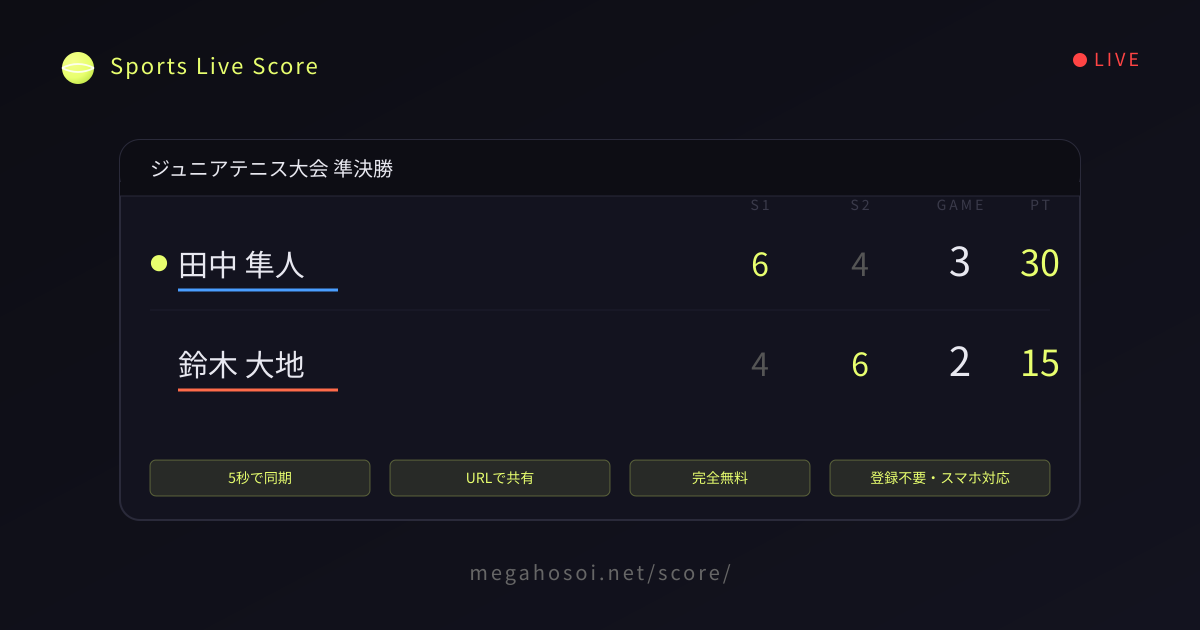
A free tool to share and broadcast tennis scores live
Even when you want to cheer on your child's tennis match or club activity, parents often can't make it to weekday matches or distant tournaments in person. This service is designed to deliver the score updated by someone on site to family and supporters far away, almost in real time, within 5 seconds.
Key features
- No account or login required — Start a match with a single button. No app install needed either
- Separate editor URL and viewer URL — Only the updater can operate it, so viewers can't accidentally change anything
- QR code sharing — Instantly hand out the viewer URL even to supporters gathered on site
- Works for both singles and team matches — From a single 1-on-1 match to a team match bundling multiple matchups
- TV broadcast-style UI — Easy-to-read color scheme that shows sets, games, and points at a glance
- Share result images — After the match ends, turn the score into an image and share it on social media or messaging
- Completely free — Maintained through ads (shown on the viewer screen only)
Supported sports
We currently fully support tennis. It handles singles and doubles, individual and team matches, with various match format options that follow the rules of the game: games per set (4 / 6 / 8), number of sets (1 / 3 / 5), no-ad scoring, a 10-point super tiebreak in the final set, and more. From practice matches to tournament formats, you can smoothly manage any kind of tennis match progression.
Use cases — Follow your child's tennis match even from work or far away
- Parents who want to follow their child's match while at work — Check the score in real time even when you can't watch the tennis match during work
- Family who want to check distant tournament results — Cheer on your child's match from the comfort of home
- Family and alumni cheering on a school club's tennis match — Share the viewing link via URL or QR with members who can't make it to the venue
- Score management for tennis league play and simultaneous multi-court action — Reserve players can keep track of matches on other courts too
How it works — Share a match via URL or QR code
- Choose the sport (tennis)
- Choose singles or team match, then enter player names and match format
- Tap the "Create match" button to issue an editor URL and a viewer URL
- Send the editor URL to the person entering scores on site, and share the viewer URL with spectators via QR code or link
- Score updates on site are automatically reflected on viewers' screens within 5 seconds
How to read tennis scores (a quick guide for spectators)
For parents watching tennis for the first time, our how-to guide explains how to read the scores shown on this service's screen: how points are counted (0 → 15 → 30 → 40), games and sets, tiebreaks, and the serve indicator.
Real-time score management for team matches, multiple courts, and league play
In team match mode, you can bundle and manage multiple matchups (individual matches) as a single team match. For example, you can freely set the number of cards (1–5) to fit your tournament format, such as "3 singles" or "2 singles + 1 doubles."
Each card's score can be updated individually, and the team match's overall score (how many wins for Team A and how many for Team B) is tallied automatically. If you want to call the match early under a rule like "first to 2 wins out of 3 decides it," use the "Confirm result and finish" button on the editor screen to put the team match in a finished state while leaving the remaining cards unplayed.
Results can be turned into images and shared on social media both for the whole team match (team perspective) and for each individual card (individual perspective). After the match ends, both the team and individual result cards are displayed.
Technical features
This service is designed to achieve near-real-time updates while minimizing server load. The viewer side uses a "polling" approach that asks the server for the latest score every 5 seconds, but the following optimizations keep unnecessary traffic to a minimum.
- 304 responses via HTTP ETag — When the score hasn't changed, the server returns only "not modified" without a body, so transfer is almost zero
- Background pause via the Page Visibility API — Polling stops when the browser tab goes to the background and resumes when you return
- Exponential backoff when nothing changes — The polling interval automatically extends 5s → 10s → 20s → 30s, and resets when a change is detected
- Polling stops when the match ends — Viewer-side polling stops automatically once the match is over
- Response compression via mod_deflate — JS/CSS/JSON are served compressed
Thanks to these refinements, it runs comfortably even on shared rental servers, so viewers concerned about data usage can use it with peace of mind.
Frequently asked questions
Q. Can I check my child's tennis match while I'm at work?
A. Yes. Just have the person updating the score at the venue share the "viewer URL" with you, and you can follow the score almost in real time, within 5 seconds, on your office PC or smartphone. No app install or account is needed - it all works in the browser.
Q. How can family who can't make it to the venue check the results of a distant tennis tournament?
A. Someone at the venue creates the match and issues a "viewer URL," then shares it with the family via LINE, email, or QR code. The family simply opens the URL to follow the point, game, and set progress in real time. Results stay viewable for one week after the match ends, and a shareable result image is generated too.
Q. Can I manage scores for multiple courts at a tennis tournament at the same time?
A. Yes, you can create multiple matches at once with no limit. If a club, school, or tournament organizer creates a match for each court, reserve players and players or parents on other courts can each follow the action via their own viewer URL. It also supports team matches and league play running across multiple courts in parallel.
Q. I want to share a cheering URL with family and alumni for our club's tennis team match.
A. Create a match in team mode and you'll get a match page that bundles multiple matchups together. Hand out the viewer URL to family, alumni, and friends all at once via QR code, and anyone can follow the action as if they were at the venue. Both the overall team win/loss tally and each matchup's individual score are displayed.
Q. Is there any cost to use it?
A. It's completely free, with no account required. We cover server running costs by showing a small ad banner at the bottom of the viewer screen. No ads are shown on the editor screen.
Q. How long is data kept?
A. It's automatically deleted one week after the match's last update. Long-term storage isn't available, so if you'd like a keepsake, please save the result image shown after the match ends.
Q. How many matches can I create at once?
A. There's no limit. It works great for managing multiple courts and matches in parallel at a club or school.
Q. How many people can update the score?
A. Technically any number of people can share the editor URL, but if several people update at the same time their actions may overwrite each other, so we recommend a single updater. If you want to split the role, taking turns by game or set works well.